When does a music school need a waiting list?
As soon as a teacher, an instrument or a popular time slot is full. From then on, every enquiry without a follow-up costs you a student who could have started later.
That happens sooner than you think. At almost every music school, the hours straight after school fill up first, while there is still room during the day. A waiting list makes sure you don't lose that demand, and that you don't have to dig through old emails when a spot opens up.
What should you record for each person on the waiting list?
Enough to tell whether someone fits a free spot, and no more than that.
- Name, and for a child also the name of the parent you contact
- Phone number and email address
- Instrument and, if known, level
- Preferred day and part of the day (morning, afternoon or evening)
- A preferred teacher, if there is one
- The date they joined the list
- What you agreed, and when you offered them a spot
Don't ask for more details than you need, and say what you keep them for. Take people off the list once they are no longer waiting.
In what order should you offer a free spot?
First to the people who fit that spot, and within that group to whoever has waited longest. Write that rule down, so you don't have to explain it again each time.
Going purely by sign-up date sounds fair, but someone who can only come on Wednesday mornings has no use for a Thursday evening slot. So look at day, part of the day, instrument and teacher first, and only then at the date.
Do you make exceptions, for example for a sibling of a current student or for a student who wants to add a second instrument? Then put those in your rules too. An exception everyone knows about in advance doesn't feel like favouritism.
How do you offer a spot without it getting messy?
Offer one spot to one person at a time, agree how long you will wait for an answer, and note when you made the offer.
Call or email, name the time slot and the teacher, and say by when you need an answer, for example within a few days. If you hear nothing, move on to the next person on the list.
For each person, note which spot you offered and when. That way you never offer someone the same spot twice by mistake, and you can explain why someone else went first if the question comes up later.
What should you tell people on the waiting list?
That they are on the list, how the order works and that you cannot promise a date. That clarity heads off most questions.
- A confirmation straight after they sign up: you are on the list, for this instrument and with these preferences
- How you offer a free spot, and in what order
- That the wait depends on when a student leaves, and that you cannot give a date for it
- How to change their preferences or take themselves off the list
After that, get in touch now and then, for example at the start of a new school year, to ask whether someone still wants to wait. It keeps your list current and shows people they haven't been forgotten. If someone can't wait, offer another time or another teacher if you can.
How do you see in time that a spot is opening up?
By recording every cancellation with a last lesson date. Then you know in advance which slot opens up, and you can offer it before it is empty.
A notice period in your terms helps: if you know a month ahead that a student is leaving, you have a month to fill the spot. Also note why someone leaves. If you see many students leaving for the same reason, you know what to work on.
Good lesson scheduling makes this easier: when every student has a recurring lesson series, you see straight away which slot is empty after the last lesson date.
How does Musicdott Manager help with the waiting list?
Manager keeps the waiting list, shows who fits the free spot whenever a student leaves, and lets you offer that spot by email. Nothing goes out by itself: you choose who to contact.
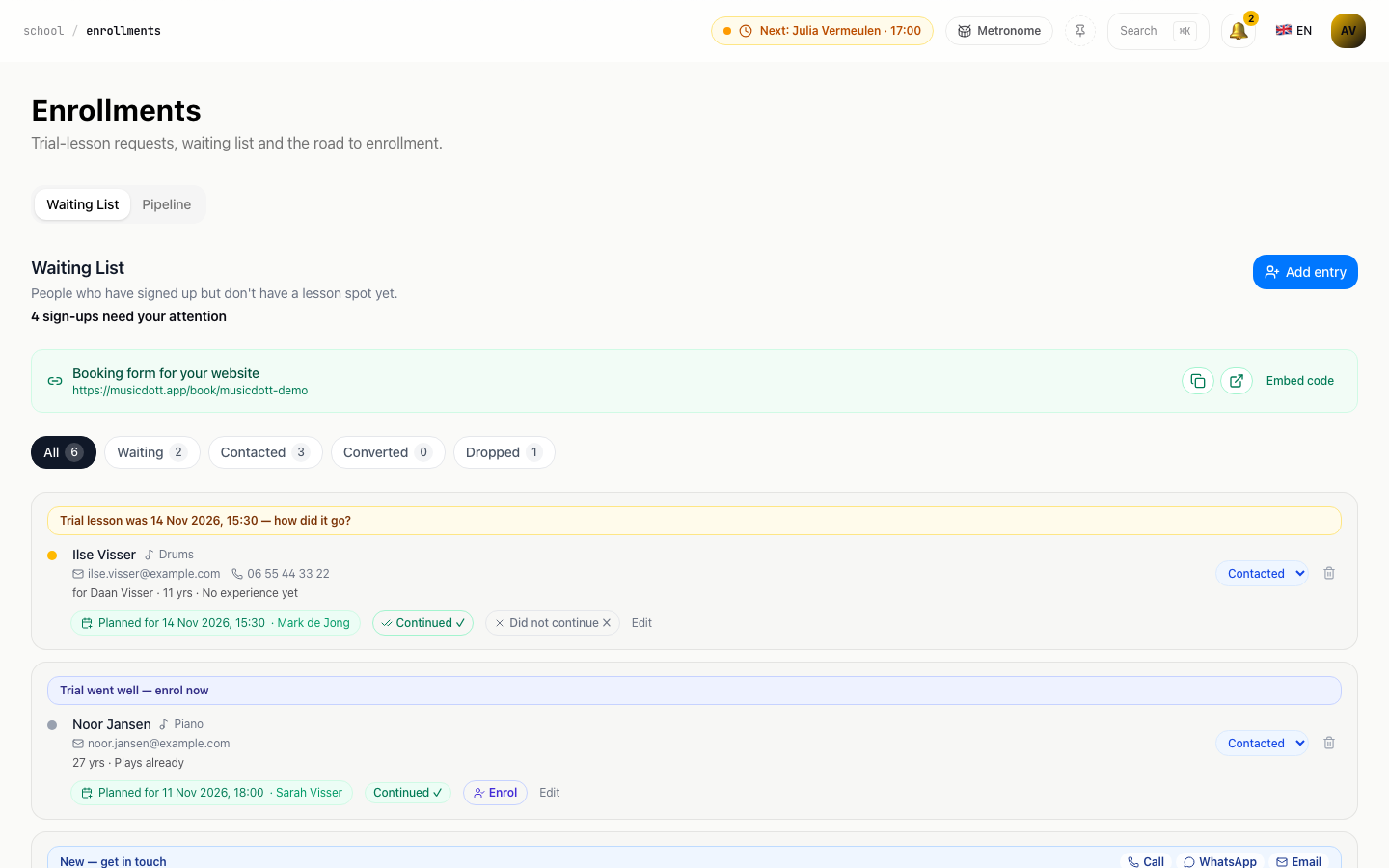
Everyone who signs up appears under Enquiries, with their instrument and preferences. That includes people who booked a trial lesson through the trial-lesson flow on your own website. Each card shows the next step: call, plan a trial lesson or enrol.
When a student gives notice, you record the last lesson date and the reason. For each slot that opens up, Manager lists the people on the waiting list in order: first those who fit on day, part of the day and instrument, then whoever has waited longest. You also see straight away whether you already offered someone that spot.
You call yourself, or offer the spot by email in one click. A deadline, moving on to the next person or holding the spot does not happen automatically: that is your call. If someone says yes, the enrolment wizard creates the student and their recurring lesson in one go.
Manager is an add-on at €9.95 per month excl. VAT, on top of your Musicdott plan, and you can try it free for 14 days. Everything about the add-on is on the Manager page.