
Online tuner
for any instrument.
A free chromatic tuner for guitar, bass, violin, ukulele, wind instruments and voice. Allow microphone access, play a note and the needle shows how far off you are.
Tuner in Musicdott →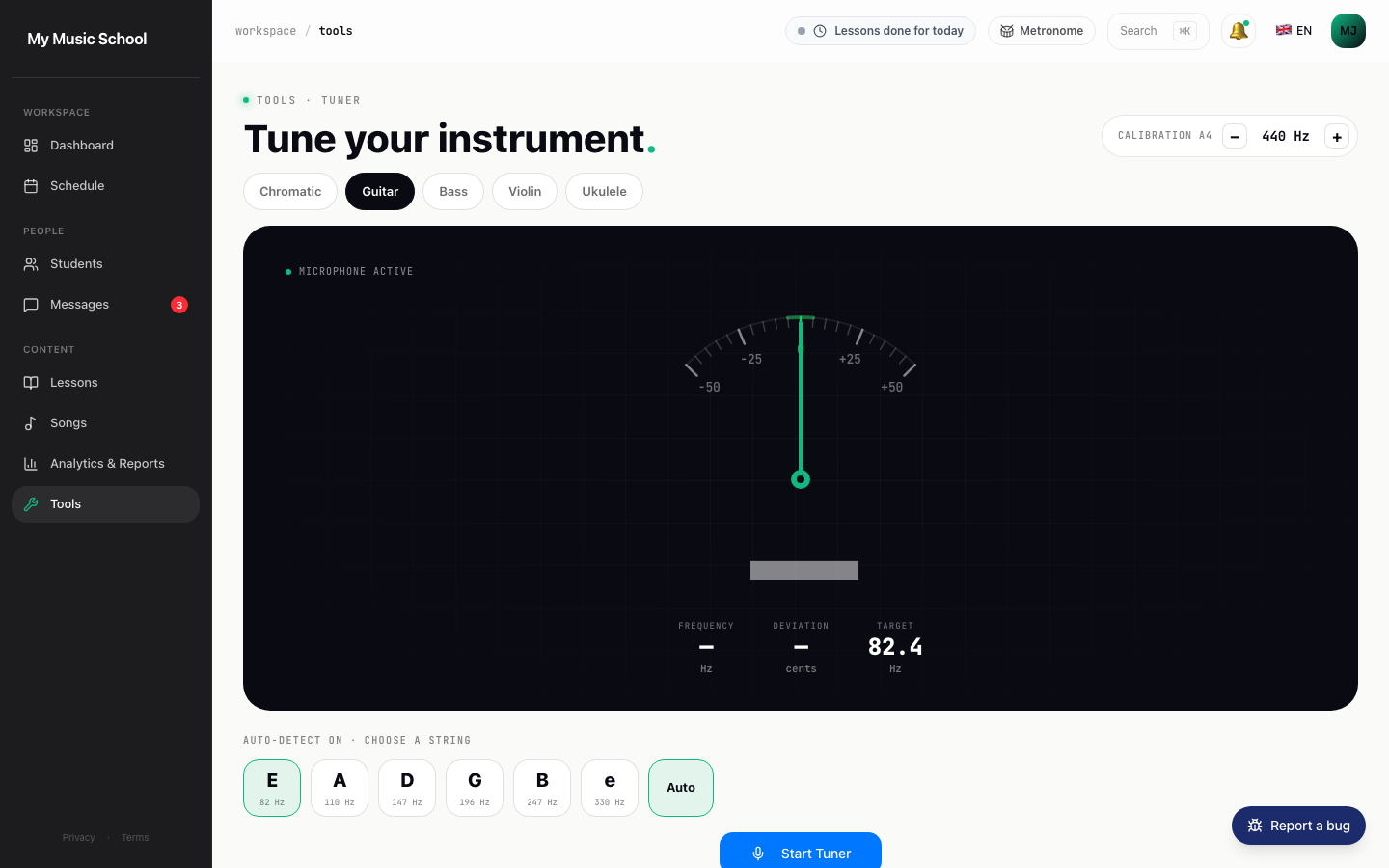
Never another student starting out of tune.
Chromatic + presets
Standard guitar · bass · violin · ukulele. Or chromatic mode for wind instruments and voice.
Reads in cents
A needle from -50 to +50 cents plus the frequency in Hz. Within ±5 cents counts as in tune; A4 is adjustable from 430 to 450 Hz.
Works on mobile
Runs in the browser on a phone, tablet or laptop, so students can tune at home between lessons too.
How to use the online tuner
- Open the tuner and allow the microphone. Your browser asks for permission once. The sound is analysed on your own device.
- Pick a preset or chromatic mode. Presets cover standard guitar (E A D G B E), bass, violin (G D A E) and ukulele (G C E A). Chromatic mode recognises any note, for wind instruments, voice or an unusual tuning.
- Play one note at a time. Pluck or bow firmly and let the note ring. The tuner shows the note name, the frequency and a needle that leans left when you're flat and right when you're sharp.
- Tune up to the note. If a string is sharp, loosen it slightly below the target first, then bring it back up. Strings tuned upwards hold their pitch better.
Tips for teachers and students
- Tune in a quiet room and keep the phone or laptop close to the instrument. Background noise and other instruments confuse every microphone tuner.
- Let students tune themselves at the start of each lesson. After a few weeks they hear "nearly in tune" on their own, which is the real goal.
- Playing with a piano that isn't at 440 Hz? Set the reference pitch to match it rather than retuning the piano.
- New strings stretch. Expect to retune a few times in the first days, and check the tuning again after a warm-up.
In Musicdott the tuner sits next to the metronome, chord finder and scales, so students find all their practice tools in one place. See how themusic lesson platformconnects homework and practice, or try the freeonline metronome andchord finder.
Frequently asked questions
Is this online tuner free?+
Yes. The tuner is free to use in your browser and you don't need an account. It is one of the free music tools inside Musicdott.
What is a chromatic tuner?+
A chromatic tuner recognises all twelve notes of the octave, not just the strings of one instrument. That is why it works for guitar and violin as well as for clarinet, trumpet, flute or your voice.
Can I tune to something other than A = 440 Hz?+
Yes. You can set the reference pitch for A4 anywhere from 430 to 450 Hz in steps of 1 Hz, for example to match a piano or an ensemble that tunes slightly higher.
Is my microphone audio recorded or uploaded?+
No. The sound from your microphone is analysed in your browser and is never recorded or sent to a server.
The tuner struggles with my low bass strings. What can I do?+
Very low notes are hard for any microphone-based tuner. Play the harmonic at the 12th fret instead: it sounds an octave higher, has the same note name and is much easier to detect.
When is a string in tune?+
The needle shows how many cents sharp or flat you are, from -50 to +50. Within 5 cents either side counts as in tune, which is closer than most listeners can hear.